
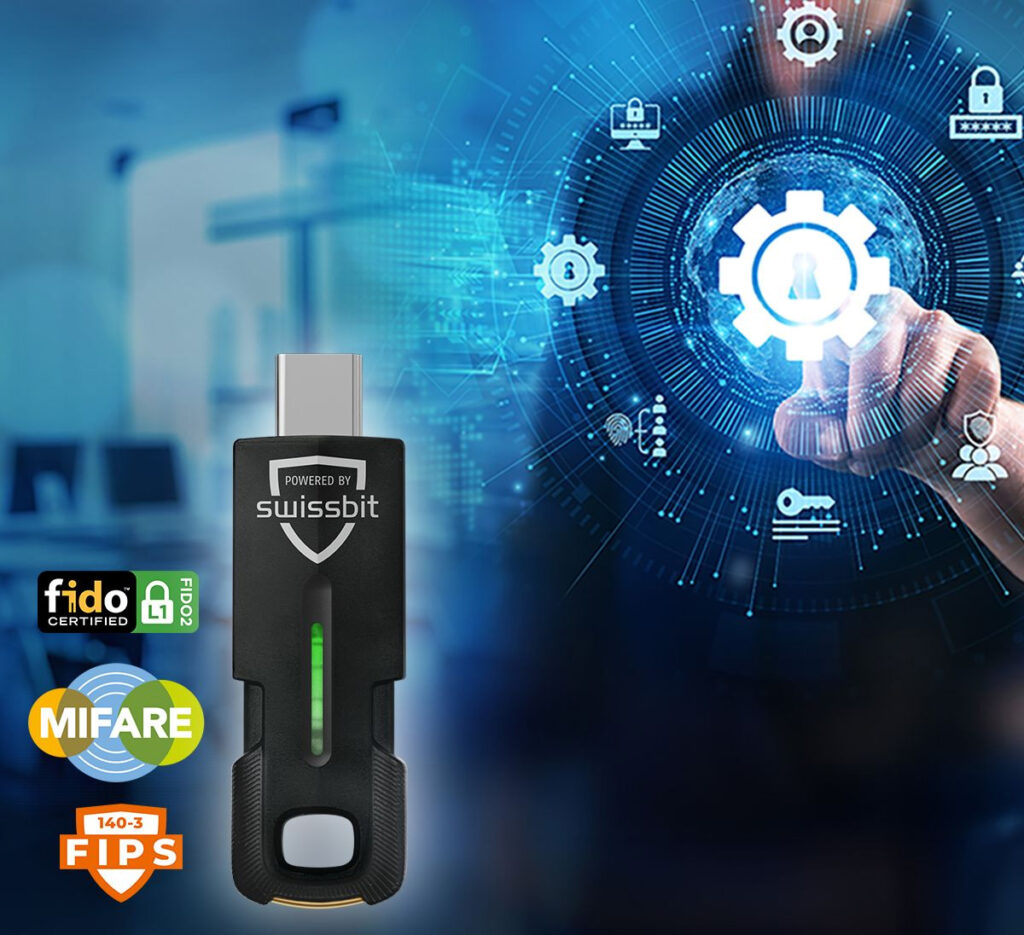
An employee arrives at the company in the morning. At the entrance door, he holds a small security key to the reader. The door opens. A few minutes later, he uses the same key at his workstation: to log in to his computer, to a protected cloud service, or as a second factor when accessing sensitive company data.
No additional access chip. No one-time code on a personal smartphone. No password slip under the keyboard. One device combines the employee's physical and digital identity.
At first glance, this might sound like a minor convenience improvement. In reality, it's based on a security concept that can solve several typical business problems. We wanted to know if this promise holds true in practice – and tested the Swissbit iShield Key 2 Pro MIFARE both as a digital security key and for our own contactless access control application.
Three key worlds that are mostly separate today
In many companies, an employee has several independent access methods: a password for their computer, an app or code for two-factor authentication, and a card or chip for the building. Additional passwords are added for other applications.
This works – but it's costly. New employees need to be set up in multiple systems. In case of a loss, various departments have to react. If someone leaves the company, digital accounts and physical access rights must be reliably and, if possible, simultaneously blocked.
A combined security key does not automatically create a single management system. However, it can serve as the common medium on which an employee's permissions converge: digitally via FIDO2 and physically via MIFARE DESFire EV3.
Why a password can remain insecure despite complicated rules
A password is a secret that a user shares with a login page. This is precisely where the problem lies: a professionally faked website can now look almost identical to the original. If the employee enters their password and perhaps even a one-time code, an attacker can steal both.
Rules such as twelve characters, special characters, and regular changes make it harder to guess. However, they do not prevent a person from entering their correct password on the wrong website.
Phishing is no longer a fringe problem.
The European perspective clearly illustrates how frequently such attacks actually serve as an entry point. For its Threat Landscape Report 2025, the EU Agency for Cybersecurity (ENISA) examined a total of 4,875 incidents from the period July 2024 to June 2025. The report identified where the initial point of entry could be assessed. Phishing accounts for around 60 percent Exploiting technical vulnerabilities was the most common method. This was followed by exploiting technical vulnerabilities at 21.3 percent.
Phishing no longer refers solely to poorly worded emails with suspicious links. ENISA also includes malicious email attachments, manipulated advertising, and telephone scams. Through so-called "phishing-as-a-service" offerings, even technically unsophisticated perpetrators can now deploy ready-made attack packages.
CERT-EU is also observing this trend among institutions and partners of the European Union: The proportion of classic email spear phishing attempts among the observed initial access attempts decreased in 2025. from 41 to 31 percent. At the same time, other methods increased – including telephone phishing, manipulated login processes, and the abuse of legitimate authorization procedures. The attack is therefore not disappearing; it is becoming more versatile and professional.
For companies, this means that simply warning employees about suspicious emails is no longer enough. If the login process itself is designed to minimize the use of stolen passwords and one-time codes, mere vigilance becomes a technical safeguard.
FIDO2 takes a different approach. Put simply, the security key generates a unique digital key for each service. This key only works for the genuine service – much like a building key only fits its designated lock. A deceptively realistic copy of the login page doesn't possess the correct digital lock and therefore cannot simply intercept the login.
Two-factor authentication or no password at all
The iShield Key 2 Pro MIFARE can be used in two ways. With classic two-factor authentication, the password remains the same. In addition, the employee must possess the registered hardware key and confirm the login on the device. A stolen password alone is then no longer sufficient.
If the application supports passwordless login, the hardware key can completely replace the password. The user then logs in with the device and – depending on the configuration – a local PIN. This is not only more convenient, but it also eliminates the password as a potential target for phishing.
Which option is possible depends on the applications used, cloud services, and existing user management. Therefore, an implementation should ideally begin with an inventory – not with the blanket purchase of a box full of tokens.
What we practically tried
We weren't just interested in the data sheet. We wanted to know how the key performs in everyday use and with our own technical integration.
First, we registered the iShield Key 2 Pro MIFARE as a FIDO2 security key and used it for two-factor authentication. The process is straightforward for the user: connect the key or use it contactlessly, initiate the login, and confirm with the token. The cryptographic processes remain in the background.
Next, we examined the second aspect of the device: the contactless MIFARE DESFire function. This is particularly interesting for access control systems because it doesn't simply require an easily readable card number. Instead, the access control system can verify whether the token actually possesses the corresponding secret key.
Why this is more secure than a simple RFID chip
Many simple access control solutions only recognize the serial number of a chip. This is roughly equivalent to a doorman letting someone in simply because they provide the correct employee number. If this number has been copied, the system may not be able to distinguish between the original and the copy.
DESFire enables true cryptographic verification. To put it simply, the token not only knows the employee ID number, but can also answer a question that can only be solved with the stored secret key. The secret key does not need to be extracted from the token or transmitted openly during each verification.
Additionally, separate, protected data areas can be created. These could contain, for example, an internal authorization identifier, location data, or other information necessary for the application. Which data is appropriate always depends on the specific security concept.
Our look under the hood
For the technical test, we used an Identiv uTrust 3700 F CL as a contactless USB reader. This was done via PC/SC, Python, and pyscard We communicated directly with the test token.
We then created a separate application with a protected data area and replaced the initial key with a custom-generated AES key. Afterward, the test data could only be read and modified after successful authentication. Finally, we reset the designated test token in a controlled manner.
For those with a technical interest, this demonstrated the crucial chain of functions. For the end user, it simply means: The system doesn't just check any number, but the authenticity of the authorization.
What a company gains from this
The greatest advantage is not a single technical feature, but the interplay between them:
- Less surface area for attack: FIDO2 provides significantly better protection for digital access against classic phishing attacks.
- A simpler daily work routine: One device can be used for buildings, workplaces, and supported online services.
- Fewer password problems: Depending on the system, the key can secure or completely replace passwords.
- Clearer processes: Issuance, return, loss, and blocking can be planned as a coherent identity process.
- Flexible integration: USB and NFC enable use with different devices and access systems.
This can reduce the workload for users and IT. However, a clean implementation is crucial. Simply cramming several existing standalone solutions onto the same piece of hardware without connecting the underlying processes wastes a significant portion of the potential benefits.
More than login and door
The Pro-MIFARE version not only combines FIDO2 and building access control. Through its PIV smartcard function, it can also provide certificates for Windows login, digital signatures, or encryption. In a suitably configured Active Directory and certificate environment, the token thus becomes a secure identity carrier for further tasks.
The contactless DESFire function can also be used beyond the entrance door. The same employee key can be used, for example, at printers for FollowMe or Secure Print, for time tracking, or for particularly protected areas such as server rooms. For the employee, it remains a single device; in the background, the respective access rights remain clearly separated.
A bridge for older systems
Not every existing application supports FIDO2. The Pro version therefore additionally offers time- and counter-based one-time codes – TOTP and HOTP – as well as the option to output selected static access data via a virtual keyboard. This allows older administration interfaces, network devices, or other systems that do not yet support modern authentication methods to be integrated.
These features are a practical interim solution, but not the ultimate security goal. One-time codes and static passwords can still be intercepted or entered on a fake website. Where FIDO2 is possible, cryptographic authentication tied to the actual service remains the significantly better choice.
The second key is part of the concept
A device for multiple access points raises a legitimate question: What happens if it gets lost? With the iShield Key 2 Pro MIFARE, the lack of an export option for protected access data is an intentional security feature. Private keys, passkeys, certificates, and OTP data should not be able to simply leave the token and be copied to another device.
This protects against undetected copying, but it also means that a replacement key cannot be generated after the original has been lost by duplicating it. It must first be issued separately and registered or provisioned for the necessary accounts and functions.
If a token is lost, its digital login keys and physical access rights must be blocked immediately. A second hardware key should already be in place for important accounts. Alternatively, a controlled administrative recovery procedure is needed that does not depend on the lost token.
Therefore, the rollout includes not only the devices themselves, but also clear rules for issuing, personalization, replacement, return, and blocking. The second key is not an unnecessary duplicate, but rather an integral part of the security and operational concept.
Our conclusion: Why are we still doing this separately?
Our test began with technical curiosity about what could actually be implemented on the iShield Key 2 Pro MIFARE. However, the result is particularly interesting from an organizational perspective: Digital login and building access don't necessarily have to remain two separate worlds for the employee.
A single device can unlock the door in the morning, secure the workplace, and protect access to critical applications. FIDO2 reduces reliance on passwords and makes phishing more difficult. DESFire EV3 enables cryptographically secure access control that goes far beyond simply reading a chip number.
The technology exists and works. Therefore, the more interesting question for many companies is no longer: "Is something like this possible?" but rather: "Why do we still manage digital identity and building access separately?"„
 Deutsch
  English (UK)
  Français
  Español